Your AI, in a Shell. Stand Alone, Yet Connected.
Your AI Agent.
Ready Out of the Box.
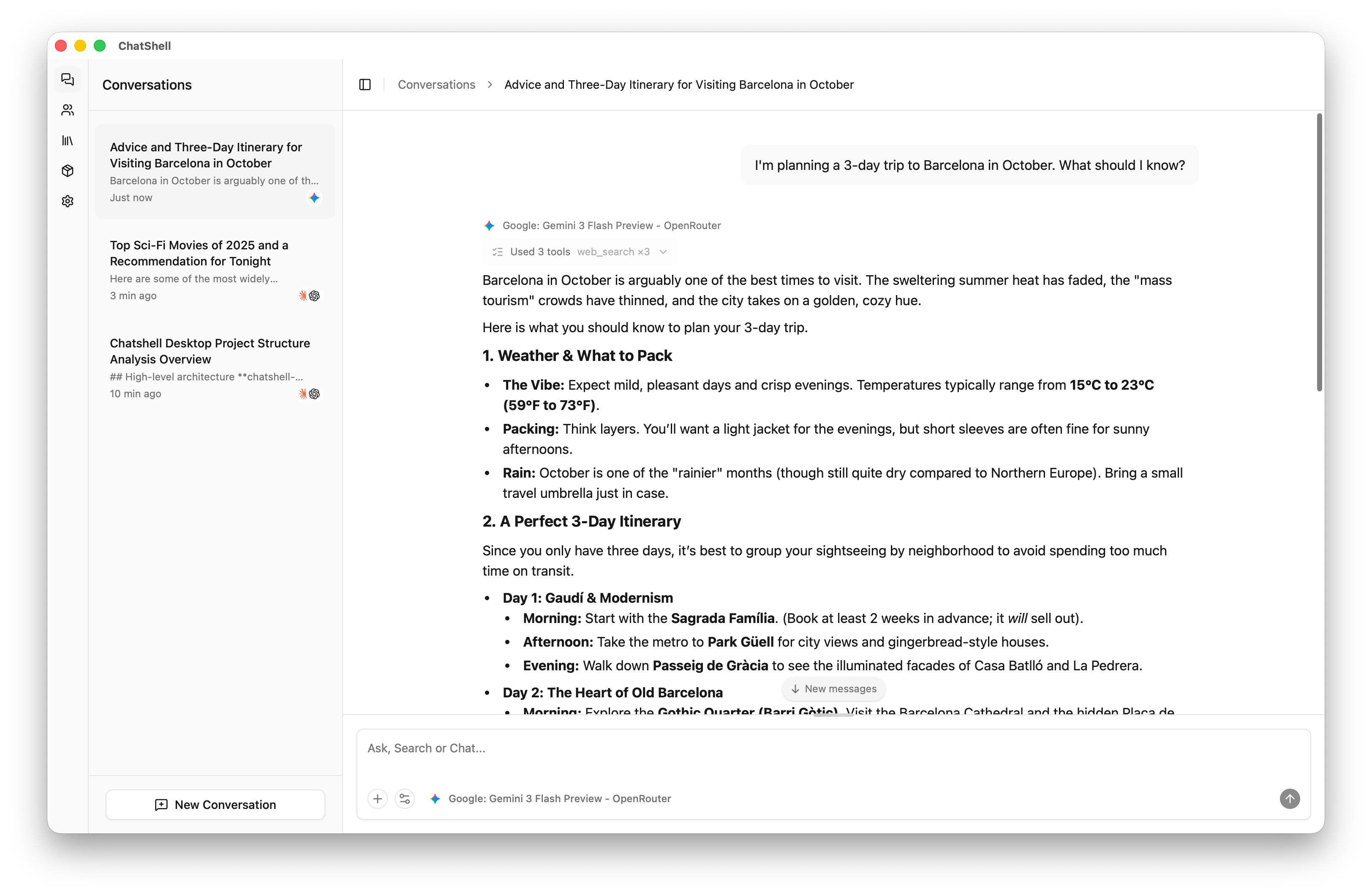
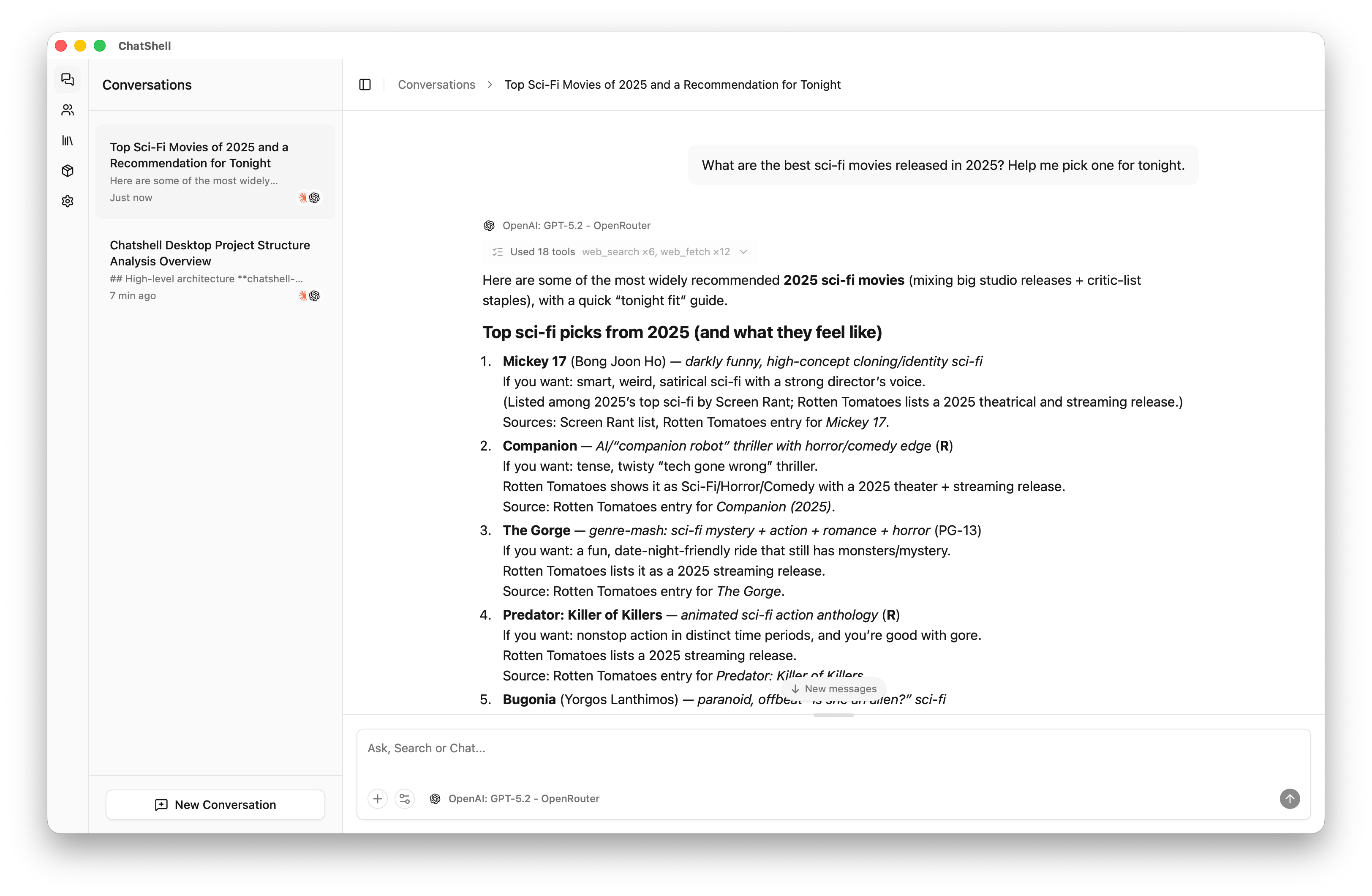
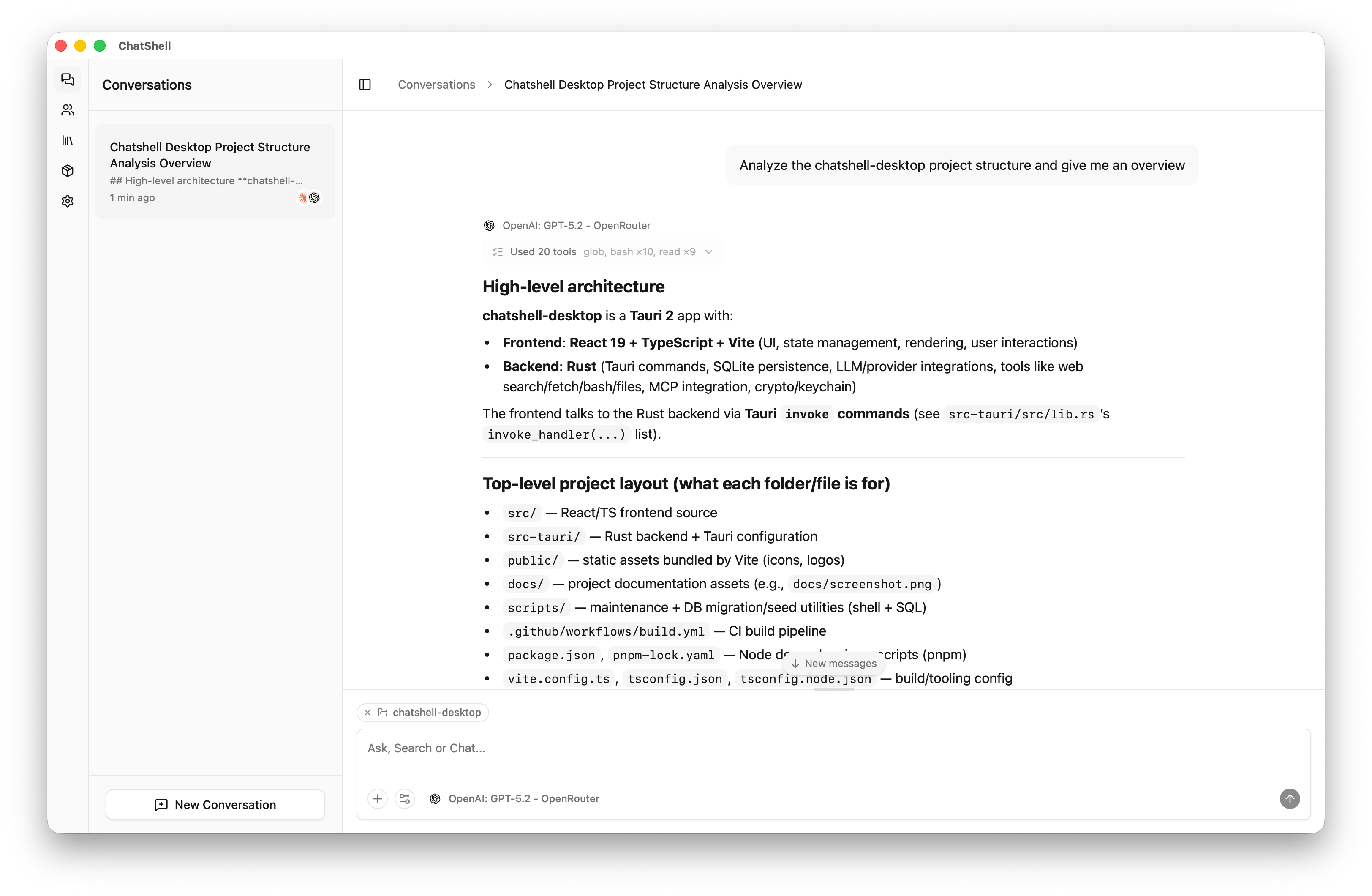
ChatShell ships with built-in tools for web search, web browsing, file access, and shell execution — your AI can take real actions from the very first conversation. No plugins. No configuration. Just ask.
Free & open source · Apache 2.0 · macOS, Windows, Linux
Why ChatShell?
Not just another chat wrapper. ChatShell is an AI agent client that works the moment you install it.
Agent-Ready, Out of the Box
9 built-in tools your AI uses autonomously — no MCP servers to set up, no plugins to install, no config files to edit.
Powerful Skills System
Bundle prompt instructions with required tools into reusable skills. Only the skills the AI decides to invoke are injected into the context — unused ones cost zero tokens. Create your own with a SKILL.md file, or paste a GitHub URL to install one automatically.
Custom Assistants, Built Locally
Create personalized AI personas on your machine. Each assistant packages a model, prompts, tools, skills, and avatar into one switchable identity.
See It in Action
Real conversations showing ChatShell's agent capabilities — from web research to local file analysis.
Built for Productivity
Rich conversations, smart attachments, full-text search, and beautiful rendering — all built in.
Rich Conversations
Watch responses stream in real time. See the model's chain-of-thought reasoning. Fork from any AI reply to explore a different direction. Keep typing while the AI responds — your messages queue up and send in order.
Powerful Attachments
Drag & drop files, paste images from clipboard, or drop a URL to auto-fetch page content. Supports 20+ code & document formats, images (PNG, JPEG, GIF, WebP, BMP), with smart deduplication via Blake3.
Prompt Library
Store, organize, and reuse prompts across conversations. Separate system-level templates from user-level prompts. Star your favorites and apply them in one click from the chat input.
One-Click Export
Export conversations as beautiful PNG screenshots, or download any assistant reply as a Markdown file. Choose to export all messages, a single conversation, or just one message. Exports automatically respect your current light or dark theme.
Chat History Search
Find any message across all conversations instantly with full-text search. See matching text highlighted in results and jump directly to the message.
Rich Content Rendering
Beautiful math formulas with KaTeX, flowcharts and diagrams with Mermaid, and syntax-highlighted code blocks with one-click copy — all rendered natively in chat.
Everything You Need
Built for power and simplicity.
40+ AI Providers
OpenAI, Anthropic, Gemini, DeepSeek, Ollama, and 35+ more. Smart model awareness auto-detects vision, tool use, and image generation per model. Generate images directly in chat with models like Gemini Nano Banana 2.
MCP Integration
Connect external tool servers via STDIO or HTTP. Paste JSON config from Claude Desktop or Cursor to import servers instantly. Progressive disclosure keeps your token budget lean. Supports OAuth 2.0/2.1 with PKCE for enterprise auth.
Lightweight
Tauri 2 + Rust backend. Not Electron. Low memory footprint, fast startup, native performance.
True Privacy
AES-256-GCM encryption for secrets, master key in OS keychain, local SQLite storage. No telemetry, no cloud dependency.
Cross-Platform
Runs on macOS, Windows, and Linux. Same features, same experience, everywhere.
Multilingual
Interface available in English and Chinese, with more languages planned. UI language follows your system preference automatically.
Apache 2.0
Open source under Apache 2.0. No GPL restrictions, no per-seat pricing. Use it however you want.
What Sets ChatShell Apart
Most AI desktop clients are chat wrappers. ChatShell is built differently — from the engine up.
| Feature | ChatShell | Typical Chat Client |
|---|---|---|
| Engine | Tauri 2 + Rust (not Electron) | Electron or native per platform |
| Agent Tools | 9 built-in tools, zero setup | Plugin marketplace or MCP config required |
| Skills System | Progressive disclosure — install from URL or create your own | Not available |
| MCP Support | On-demand tool loading · STDIO + HTTP + OAuth 2.1 / PKCE | STDIO or HTTP (no auth) |
| Chat History Search | Full-text search across all conversations | Not available or basic filter |
| Conversation Forking | Branch from any AI reply into a new thread | Not available |
| Rich Content | KaTeX math · Mermaid diagrams · syntax highlighting | Basic markdown only |
| Model Awareness | Auto-detects vision, tool use, image generation per model | Manual configuration |
| Multilingual UI | English, Chinese, and more planned | English only |
| Privacy | AES-256-GCM · OS keychain · no telemetry | Varies — often opt-out telemetry |
| Assistants | Full local builder with avatars & prompt library | Basic system prompt only |
| Memory Footprint | Low — native Rust binary | High (Electron ships a full browser) |
| License | Apache 2.0 — permissive open source | GPL, proprietary, or subscription |
| Platforms | macOS · Windows · Linux | Often macOS-only or partial support |
| AI Providers | 40+ with local model support | Varies |
"Typical chat client" reflects common patterns across the category, not any specific product.
Ready to Try ChatShell?
Download for free and start chatting with an AI that can actually do things.